Free Starwind UI Form Builder for Astro
Build beautiful, accessible forms visually with the free Starwind UI Form Builder. Design in a clean editor, then copy ready-to-use Astro component code into your project.

Building forms from scratch is tedious. Writing the markup, styling each field, handling labels and validation states. It adds up fast. What if you could design your form visually and get clean, production-ready code?
The Starwind UI Form Builder is a completely free visual editor for creating Astro forms. Design your form, customize every field, and copy the generated .astro component code directly into your project. No wrestling with code, no cost.
What Is the Starwind UI Form Builder?
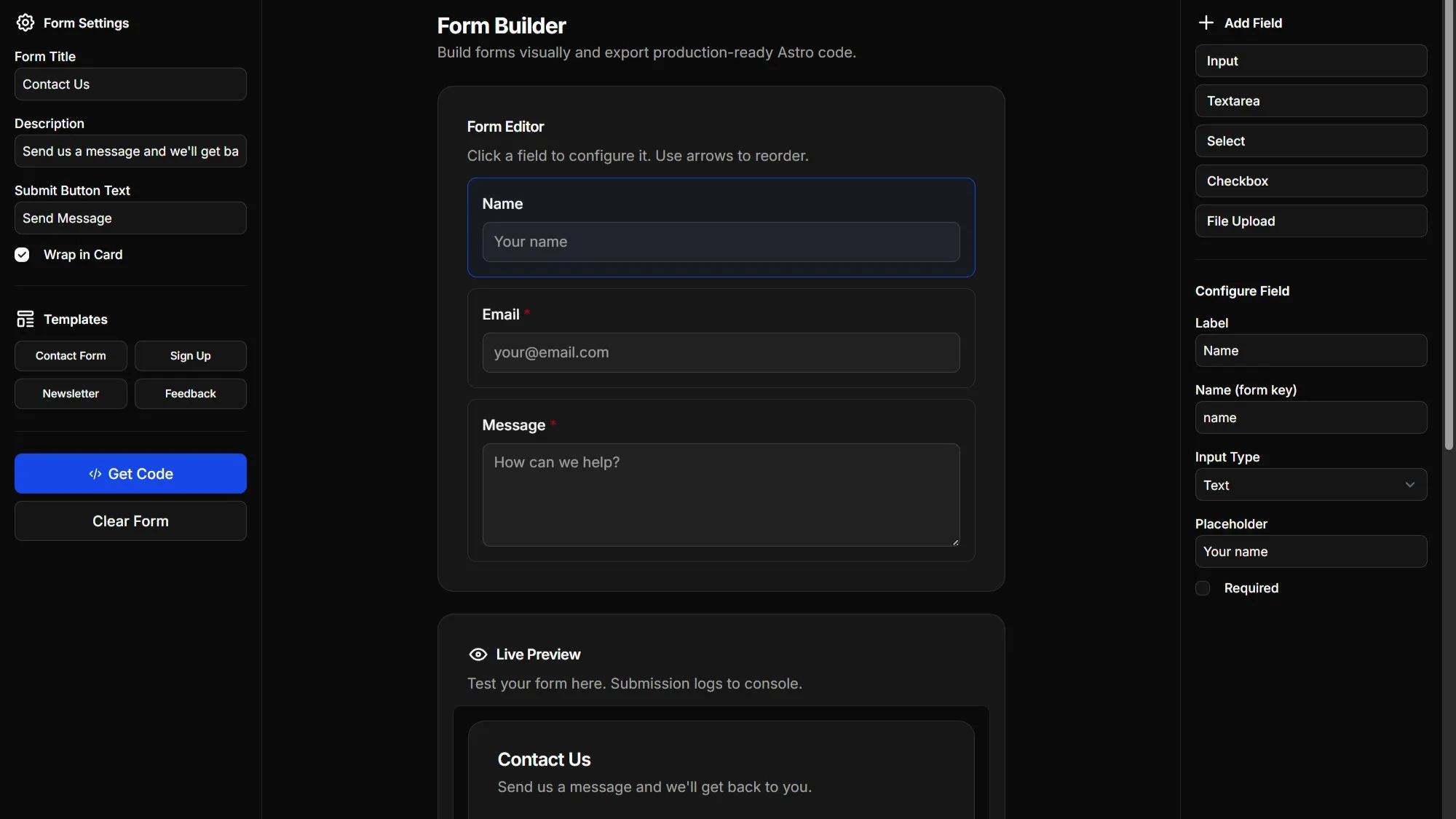
It’s a browser-based tool that lets you build forms using Starwind UI components, the open-source component library for Astro and Tailwind CSS v4. If you’ve used shadcn/ui, you’ll feel right at home.
Design your form in a clean visual editor, configure each field’s properties, and export ready-to-use Astro component code. It’s that simple.
INFO
The Astro Form Builder uses open-source Starwind UI components. All generated code is yours to customize however you want.
Why Use It?
Completely Free
No sign-up required. No license keys. No hidden costs. The Starwind UI Form Builder is 100% free and always will be.
Visual Design, Real Code
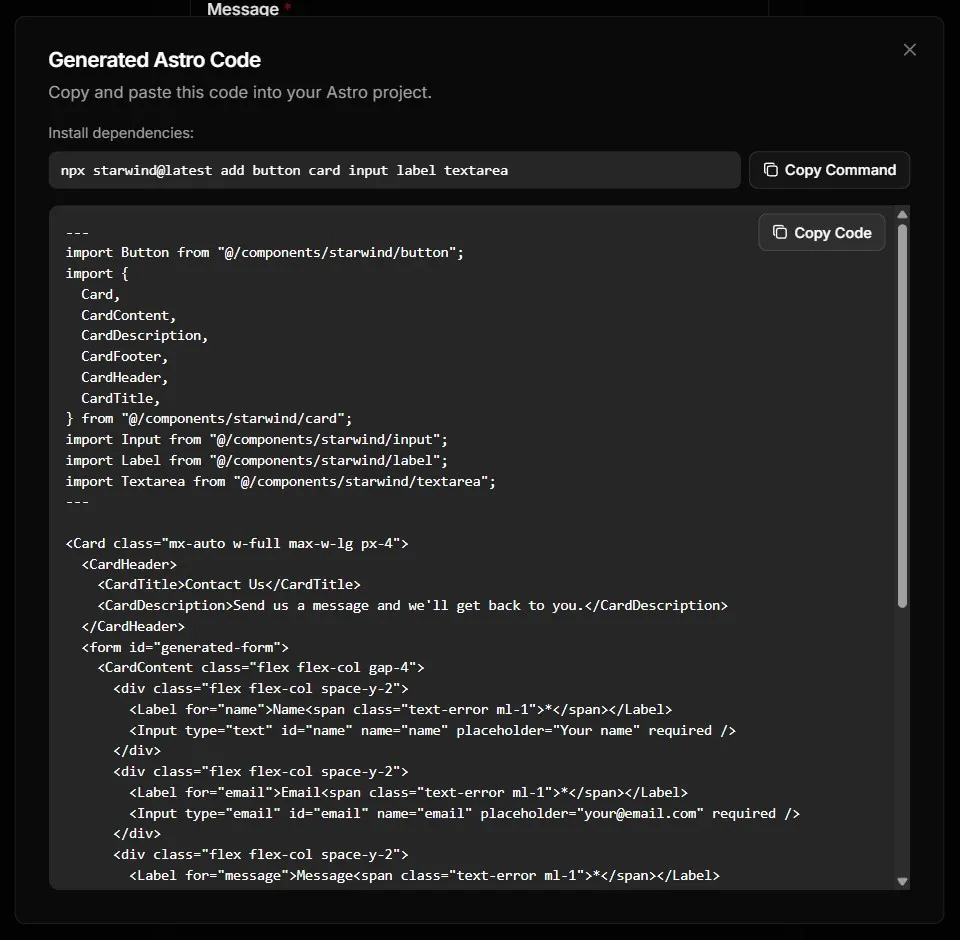
Build forms visually without sacrificing code quality. The generated output is clean, idiomatic Astro code using proper Starwind UI components. No bloated abstractions.
Built on Open Source
Every component in your generated form comes from Starwind UI, an open-source library. You’re not locked into a proprietary system. Install the components, own the code, customize freely.
Supported Components
The Astro Form Builder currently supports:
- Input: Text, email, password, number, and more
- Textarea: Multi-line text input with configurable rows
- Select: Dropdown menus with custom options
- Radio Group: A group of radio buttons with labels
- Checkbox: Single checkboxes with labels
- Dropzone: Drag-and-drop file upload
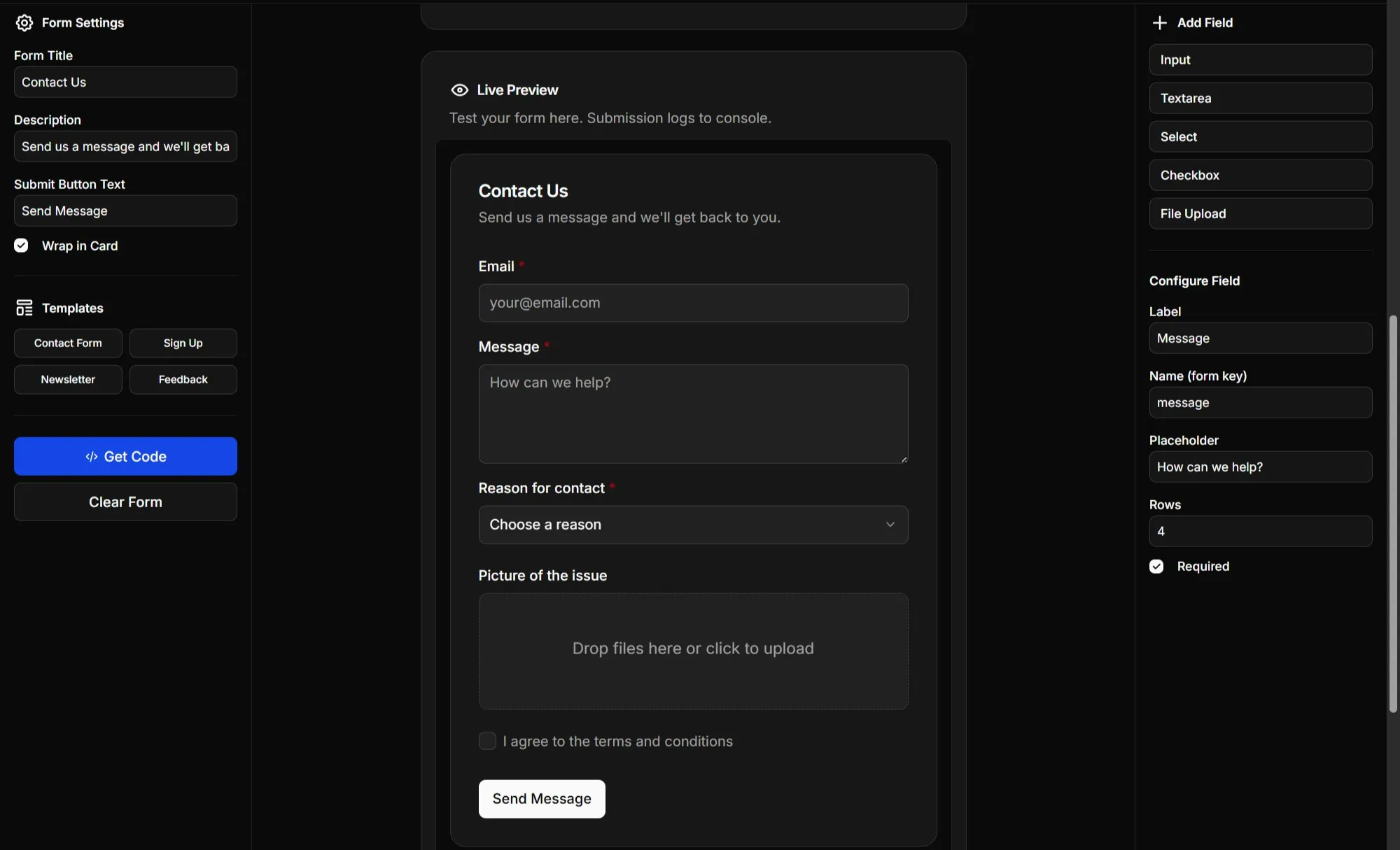
Each field is fully configurable: labels, placeholders, required validation, input types, and more.
Pre-Made Templates
Don’t want to start from scratch? The form builder includes ready-to-use templates:
- Contact Form: Name, email, and message fields
- Sign Up: Full name, email, password, and terms checkbox
- Newsletter: Simple email subscription
- Feedback: Rating dropdown with comments
Load a template, tweak it to your needs, and export.
How It Works
- Add fields: Click to add Input, Textarea, Select, Checkbox, or Dropzone fields
- Configure: Set labels, placeholders, validation, and field-specific options
- Customize form settings: Add a title, description, and choose whether to wrap in a Card
- Copy the code: Click “Copy Code” and paste the generated
.astrocomponent into your project
The generated code uses Starwind UI components. If you haven’t installed them yet, the form builder shows you exactly which components you need.
Who Is This For?
- Astro developers who want shadcn/ui-style forms without the hassle
- Solo devs and indie hackers building landing pages and SaaS products
- Anyone who’d rather design visually than write boilerplate
Try It Now
The Starwind UI Form Builder is live and ready to use. No account needed.
Have feedback or feature ideas? Join the Discord or email support@starwind.dev. Let me know what you think!